Bookshaper
FeaturesPricingCompareFree Tools
Download Bookshaper
Blog/Software & Publishing

How to Format a Novel for Self-Publishing

What professional formatting involves, the 2026 tool options, and how to get publish-ready output.
·June 12, 2026
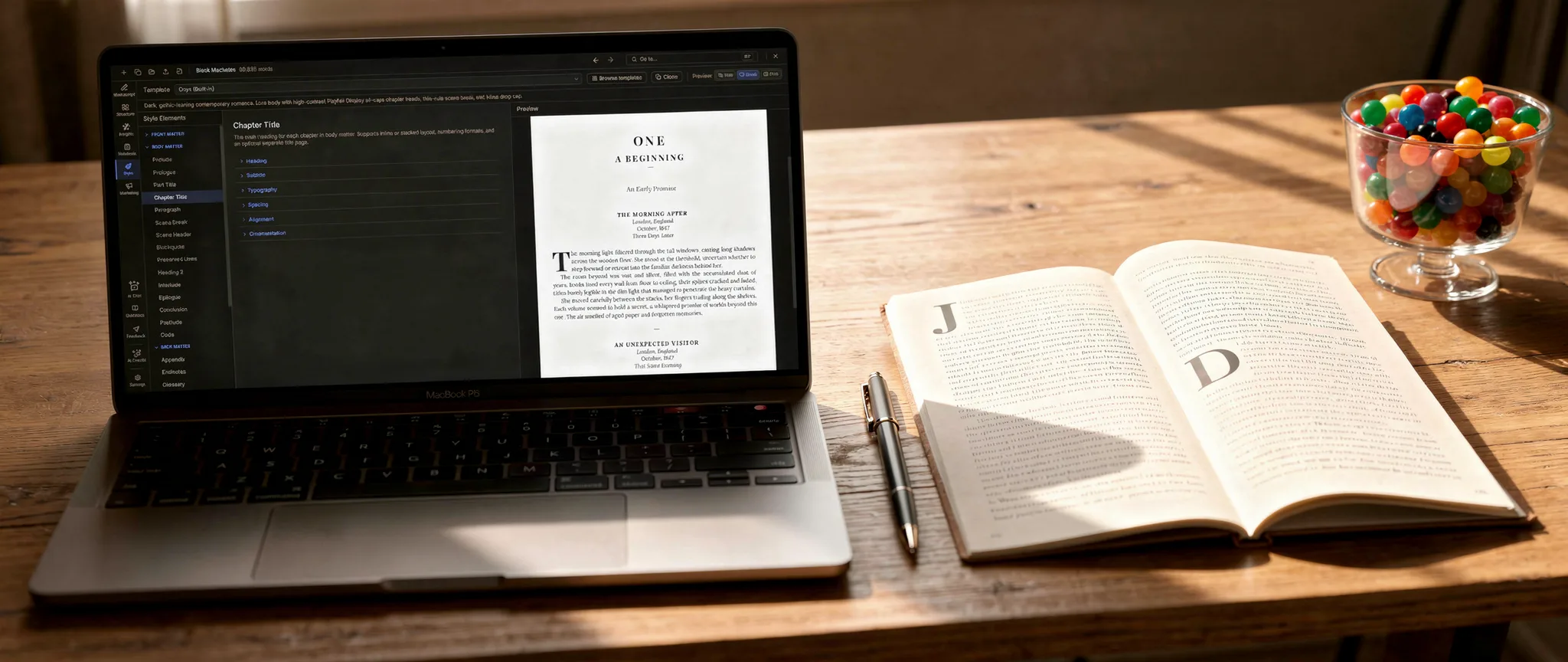
A laptop running a manuscript formatting app beside an open printed book showing chapter-opener drop caps, with a pen and a jar of colorful candy on a warm wooden desk.

Formatting: the wall every author hits

You've finished your novel. You've revised it, had it edited, and you're ready to publish. Then you hit the wall that every self-publishing author hits: formatting.

Your Word document doesn't look like a book. The chapter headings are inconsistent. There are no running headers. The front matter is a mess. You upload to Amazon and the ebook preview looks nothing like what you imagined. The print proof has widows and orphans on every other page.

Formatting is the step most authors dread — and for good reason. It's technical, it's tedious, and it's surprisingly easy to get wrong. The industry's go-to solution, Vellum, costs $249.99 and only runs on Mac. If you're on Windows or Linux, or you'd rather not spend $250 on top of everything else, you need another path.

The following sections walk through what professional book formatting actually involves, the tools available to you in 2026, and how to get publish-ready results without Vellum.

What professional book formatting actually means

Before choosing a tool, it helps to understand what you're trying to achieve. Professional formatting isn't just about making your book "look nice." It's a set of specific typographic conventions that readers expect, even if they've never consciously noticed them.

A laptop showing book formatting layout templates beside an open printed book with a large drop-cap chapter opener, a pen, and a cup of tea on a warm wooden desk.
Front matter
A properly formatted book opens with a half-title page, title page, copyright page, and dedication — in that order. Many self-published books skip or misorder these, which immediately signals "amateur" to readers and reviewers.
Chapter openers
Each chapter starts on a new page (usually a recto — right-hand page in print). The chapter title is styled consistently, often with a drop cap or decorative first line. The vertical position of the chapter title on the page should be consistent throughout the book.
Body text
Font choice, line spacing (leading), margins, paragraph indentation, and justification all affect readability. Print books typically use a serif font (Garamond, Caslon, Baskerville) at 10-12pt with first-line indentation. Ebooks need slightly different treatment because the reader controls the font size.
Running headers and footers
Print books include the author name on the left page and chapter title on the right (or a variation of this pattern). Page numbers appear in the footer or header. These should not appear on chapter opener pages.
Widows and orphans
A widow is a single line of a paragraph stranded at the top of a page. An orphan is a single line stranded at the bottom. Professional typesetters eliminate both. This is one of the most visible differences between a professionally formatted book and a DIY one.
Back matter
Acknowledgments, about the author, also-by pages, and any appendices need consistent formatting that matches the rest of the book.
Ebook considerations
Ebooks are reflowable — the reader controls font size and style. Your formatting needs to define structure (chapters, headings, emphasis) without relying on fixed positioning. A well-formatted EPUB has a working table of contents, proper metadata, and consistent styling that adapts gracefully to any screen size.

The tools available in 2026

Vellum ($199.99 - $249.99, Mac only)
Vellum is the industry standard for a reason. Its templates are beautiful, the interface is intuitive, and the output quality is exceptional. You import a Word document, choose a style, and export to every ebook platform and print format you need. The catch: it's Mac-only with no Windows, Linux, or browser version. The Ebooks edition is $199.99; adding print formatting (Vellum Press) costs $249.99. It's also purely a formatting tool — you can't write or organize your manuscript in Vellum.
Atticus ($147, browser-based)
Atticus is the most direct Vellum competitor. It runs in the browser (so it works on any platform), offers template-based formatting for both ebook and print, and costs $147 as a one-time purchase. It also includes a basic chapter-level writing editor. Atticus's formatting options are solid but less refined than Vellum's. You have fewer templates and less granular typographic control. For most authors, the output is good enough — but "good enough" is a different standard than "indistinguishable from a Big Five publisher."
Bookshaper (from $9.99/month, desktop)
Bookshaper gives you both halves of the formatting problem — write and format in one app, without exporting to another tool. It's one of the few options here that handles everything from blank page to print-ready PDF. Start from one of 60 built-in templates organized by genre and era — Modern Literary Fiction, Commercial Thriller, Contemporary Romance, Epic Fantasy, Cozy Mystery, and more, plus submission and accessibility formats — the same picking-a-template convenience Vellum and Atticus offer. Then, if you want more control than a template gives, open the style editor: 41 typographic targets put every element of your book's design at your fingertips. Running headers, chapter openers, body text, front matter, back matter, margins, page layout, widows, orphans, and hyphenation are all exposed as settings you can adjust. Pick a template and ship, or fine-tune it down to the last detail — either way you can achieve exactly the look you want. Bookshaper exports directly to EPUB, print-ready PDF, and DOCX. Because it's also a full writing environment (scene-based editor, manuscript organization, AI analysis), you never need to export your manuscript to another tool for formatting — the entire pipeline happens in one application. The trade-off: Bookshaper is a subscription, not a one-time purchase. The base tier starts at $9.99/month ($7.99/mo billed annually). It runs on macOS, Windows, and Linux but has no browser version.
Reedsy Book Editor (free, browser-based)
The Reedsy Book Editor is completely free and produces surprisingly clean ebook and print output. The formatting options are limited — you can't customize typography or page layout in detail — but for authors who want a simple, no-cost path to a formatted book, it's hard to argue with free. The main limitation is control. You get what Reedsy gives you, and there's no way to adjust the design beyond the basics. If that's enough for your needs, it's an excellent option.
Amazon Kindle Create (free, desktop)
Kindle Create is Amazon's free formatting tool. It imports Word documents and lets you apply templates for Kindle ebook output. It's specifically designed for the Kindle ecosystem. The limitation is scope. Kindle Create only produces Kindle-format ebooks. It doesn't produce EPUB for other platforms, and it doesn't produce print-ready PDF. If you're publishing exclusively on Amazon, it works. If you're going wide (publishing on multiple platforms), you'll need another tool anyway.
DIY with Word or Google Docs
It's possible to format a book in Word or Google Docs, and many authors have done it. The results are almost always subpar. Word wasn't designed for book typography — it doesn't handle widows and orphans well, running headers require manual section breaks, and producing a properly formatted PDF for print is an exercise in frustration. Google Docs is worse. It has even fewer typographic controls and no reliable path to print-ready PDF. If your budget is truly zero and Reedsy doesn't meet your needs, Word can work — but expect to spend significantly more time than you would with a dedicated tool, and expect the result to look like a Word document, not a book.

Write and format in one app

Bookshaper is the only tool here that lets you write, organize, and format your entire novel in one place. Try it free for 7 days.

Try Bookshaper free

Key formatting decisions every author should make

Regardless of which tool you choose, these are the decisions you'll need to make.

Trim size
The most common trim sizes for fiction are 5" x 8" and 5.5" x 8.5". Larger formats (6" x 9") are more common for non-fiction. Your trim size affects margins, font size, and page count — choose it before you start formatting, not after.
Font
For print, choose a serif font designed for extended reading. Garamond, Caslon, Palatino, and Georgia are safe choices. Avoid decorative fonts for body text. For ebooks, define a default but know that readers can override it.
Chapter header style
Decide whether you want simple text headers, decorative elements, drop caps, or a combination. Be consistent. If Chapter 1 has a drop cap, every chapter should.
Front matter order
The standard order is: half-title, title page, copyright page, dedication, epigraph, table of contents. Not every book needs every element, but the ones you include should follow this sequence.
Print margins
The inside margin (gutter) needs to be wider than the outside margin to account for the book's binding. Most tools handle this automatically, but if you're working in Word, you'll need to set it manually. A common setup for 5" x 8" fiction is 0.75" gutter, 0.5" outside, 0.75" top, 0.625" bottom.

Common formatting mistakes to avoid

Inconsistent spacing
Extra blank lines between paragraphs, inconsistent indentation, or mixing indented and block-style paragraphs. Pick one style and stick with it throughout.
Missing or misordered front matter
A book that opens with "Chapter 1" on the first page looks self-published. Proper front matter is one of the simplest ways to signal professionalism.
Poor ebook conversion
An ebook that looks great on one device may look broken on another. Test your EPUB on multiple Kindle models, Apple Books, and Kobo. Check the table of contents, chapter navigation, and image rendering.
Wrong PDF settings for print
Print-ready PDFs need embedded fonts, CMYK color (if you have images), crop marks (some printers require them), and the correct bleed setting. An RGB PDF with missing fonts will be rejected by most print-on-demand services.
Ignoring widows and orphans
A single line sitting alone at the top or bottom of a page is one of the most visible markers of amateur formatting. Most dedicated book formatting tools handle this automatically. Word does not.
Forgetting the "Also By" page
If you have other books, an "Also By" page in the back matter is one of the most effective marketing tools in self-publishing. Format it cleanly with cover thumbnails if your tool supports images.

The bottom line

Formatting is the bridge between your manuscript and your book. It's worth getting right, because readers notice — even if they can't articulate what they're noticing. A well-formatted book feels professional. A poorly formatted one feels like a rough draft that was uploaded too early.

You don't need to spend $250 on Vellum to achieve professional results. Free tools like Reedsy can get you most of the way there. Atticus offers strong formatting at a one-time price. Bookshaper gives you granular typographic control alongside a full writing environment, so you never need to export your manuscript to a separate tool.

The best choice depends on how much control you want, what platform you're on, and whether you want formatting to be a separate step or an integrated part of your writing process.

Explore on Bookshaper

Bookshaper vs. Vellum

A formatting-only tool vs. a full write-and-format pipeline.

Bookshaper vs. Atticus

Two ways to format a publish-ready book.

Bookshaper's style editor & export

Typographic control plus EPUB and print-ready PDF.

Bookshaper pricing

Plans from $9.99/month with a 7-day free trial.

Keep reading

Novel Writing Software: The Complete 2026 Guide

Every major category of writing tool, what each does well, and how to choose.

Best Scrivener Alternatives (2026)

An honest look at the strongest Scrivener alternatives and who each one is for.

Get the next data breakdown

Occasional emails when we publish a new measured study. No spam, unsubscribe anytime.

Ready to try Bookshaper?

Write, organize, analyze, and publish in one app. 7-day free trial, no credit card required.

Start your free trial
← All postsWriting GuidesComparisons

Bookshaper

Write, organize, analyze, and publish your manuscript in one place.

Product

  • Features
  • Pricing
  • Documentation
  • Writing Guides
  • Blog
  • Comparisons
  • Free Pacing Analyzer
  • FAQ
  • Support
  • About
  • Press Kit
  • Affiliate Program

Help

  • Protecting Your Work
  • Windows Performance
  • System Status

Legal

  • Terms of Service
  • Privacy Policy
  • Licensing Agreement
  • Affiliate Terms
  • Open-Source Licenses

Bookshaper uses AI for analysis and select generation features (back-cover blurbs, cover concepts). Your manuscripts are stored locally, and we do not authorize AI providers to train on them.

© 2026 Bookshaper. All rights reserved.