Bookshaper
FeaturesPricingCompareFree Tools
Download Bookshaper

The writing app that shows you
what your story needs

Bookshaper takes your book from the first blank page to publish-ready—plan, write, revise, and export, all in one place. At every stage, it gives you the structural insight you'd normally get from an editor, plus formatting that holds up next to a traditionally published title.

Try Bookshaper FreeExplore Features

Try it free for 7 days — no credit card required. Subscribe only when you’re ready.
Your manuscripts are stored locally, and we do not authorize AI providers to train on them.

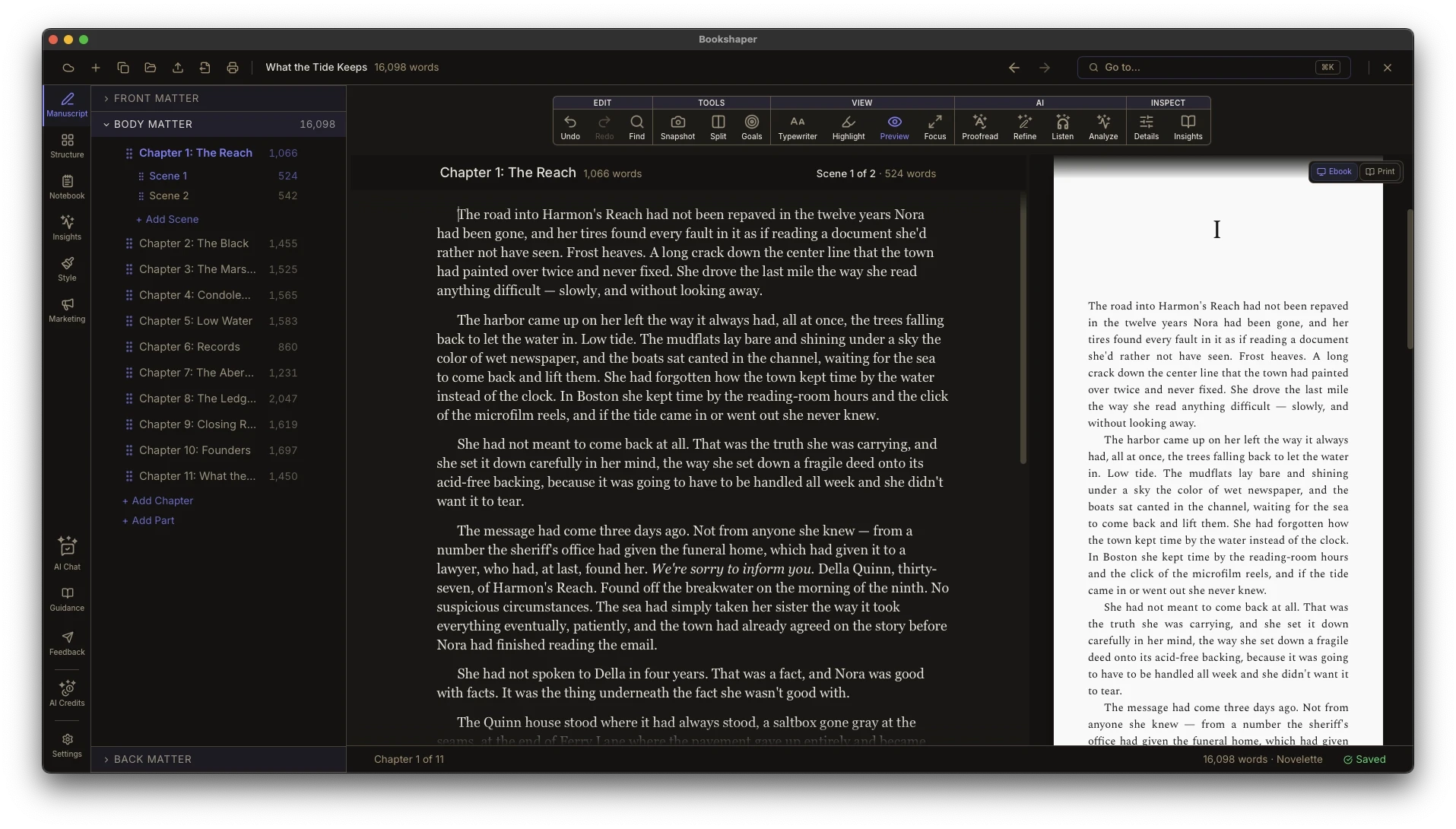
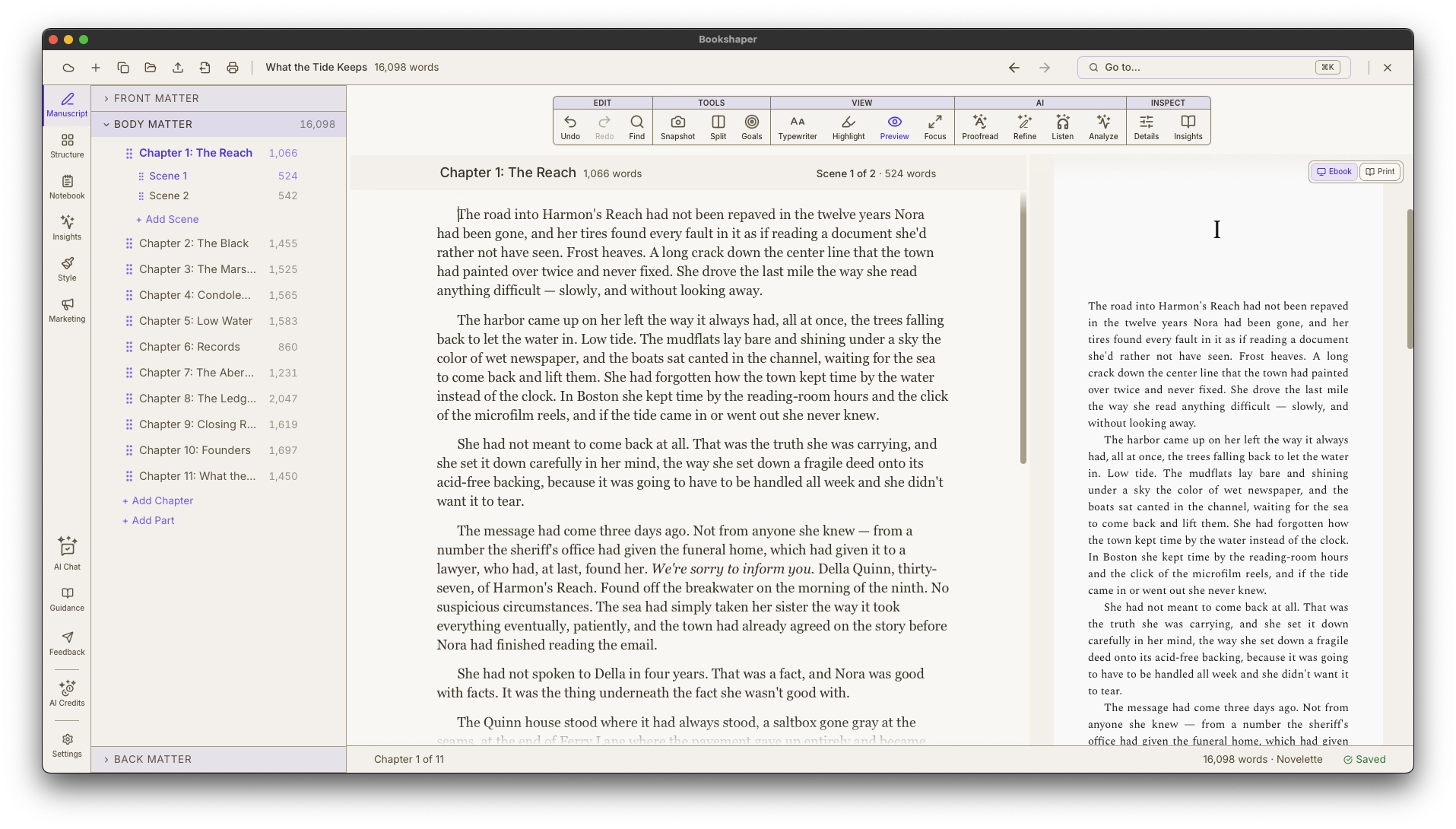
Bookshaper desktop application showing the writing editor, scene sidebar, and manuscript previewBookshaper desktop application showing the writing editor, scene sidebar, and manuscript preview

The problems that Bookshaper solves

Scattered tools

Before: One app to write, a spreadsheet to track characters, another tool to format, and a human editor to catch structural issues.

With Bookshaper: One environment for the entire manuscript lifecycle—from first draft through publication-ready export.

Invisible structure

Before: You can’t see your pacing problems until a beta reader flags them three months later.

With Bookshaper: A prioritized report card tells you what’s working, what needs attention, and exactly what to do about it—backed by interactive charts that show the evidence.

Tools that overwrite you

Before: Writing tools that rewrite your prose, flatten your voice, and make every novel sound the same.

With Bookshaper: Analysis that reads your story and offers targeted refinements you control. Review every change in a diff view, accept or reject individually, and undo anything. Your voice stays yours.

Everything you need, from first draft to finished book

Most authors piece together half a dozen apps to get from idea to published manuscript. Bookshaper replaces that fragmented workflow with one integrated environment.

Write

A focused, scene-by-scene editor with rich text formatting, inline comments, continuous autosave, automatic backups, encrypted cloud sync, manuscript preview, split editor, and keyboard shortcuts designed for long-form writing.

Organize

Structure your manuscript with parts, chapters, and scenes. Drag-and-drop reordering, Outline and Beat Cards views, Thread Health, series management for multi-book projects, snapshots, and front and back matter management.

Analyze

Get a prioritized report card that celebrates what’s working and flags what needs attention—with specific, actionable guidance for each finding. Ask follow-up questions in the AI Chat panel to dig deeper or brainstorm next steps. The kind of structural feedback you'd want before handing a draft to your editor, available on demand. Track what improved between revision passes.

Proofread

Spelling and grammar checks run locally and instantly. Style analysis catches deeper craft issues—clichés, purple prose, filter words, head-hopping, and more. Click any issue to jump to the exact passage. Apply one-click fixes or dismiss with confidence.

Refine

Scene refinement, line editing, expansion, and dialogue harmonization—all preserving your voice. Review diffs, accept or reject changes individually, and undo anything. Style profiles detect voice drift across your manuscript.

Track

Manage characters and locations across your manuscript. Visualize relationships in an interactive map. Tag scenes with POV, timeline, and purpose. Spot continuity gaps before your readers do.

Visualize

Interactive charts that back up every finding with evidence. Word count distribution, chapter balance, POV patterns, tension plots, pacing heatmaps, and dialogue ratios—click any data point to jump straight to that scene.

Publish

Generate marketing blurbs, design book covers in Cover Studio with front cover, back cover, and spine design, then export to EPUB, PDF, and DOCX with full typographic control. Choose from built-in templates or create your own with dozens of style targets, a large built-in ornament library, and running headers.

See the full feature breakdown

Cover Studio

Design your cover without leaving your manuscript

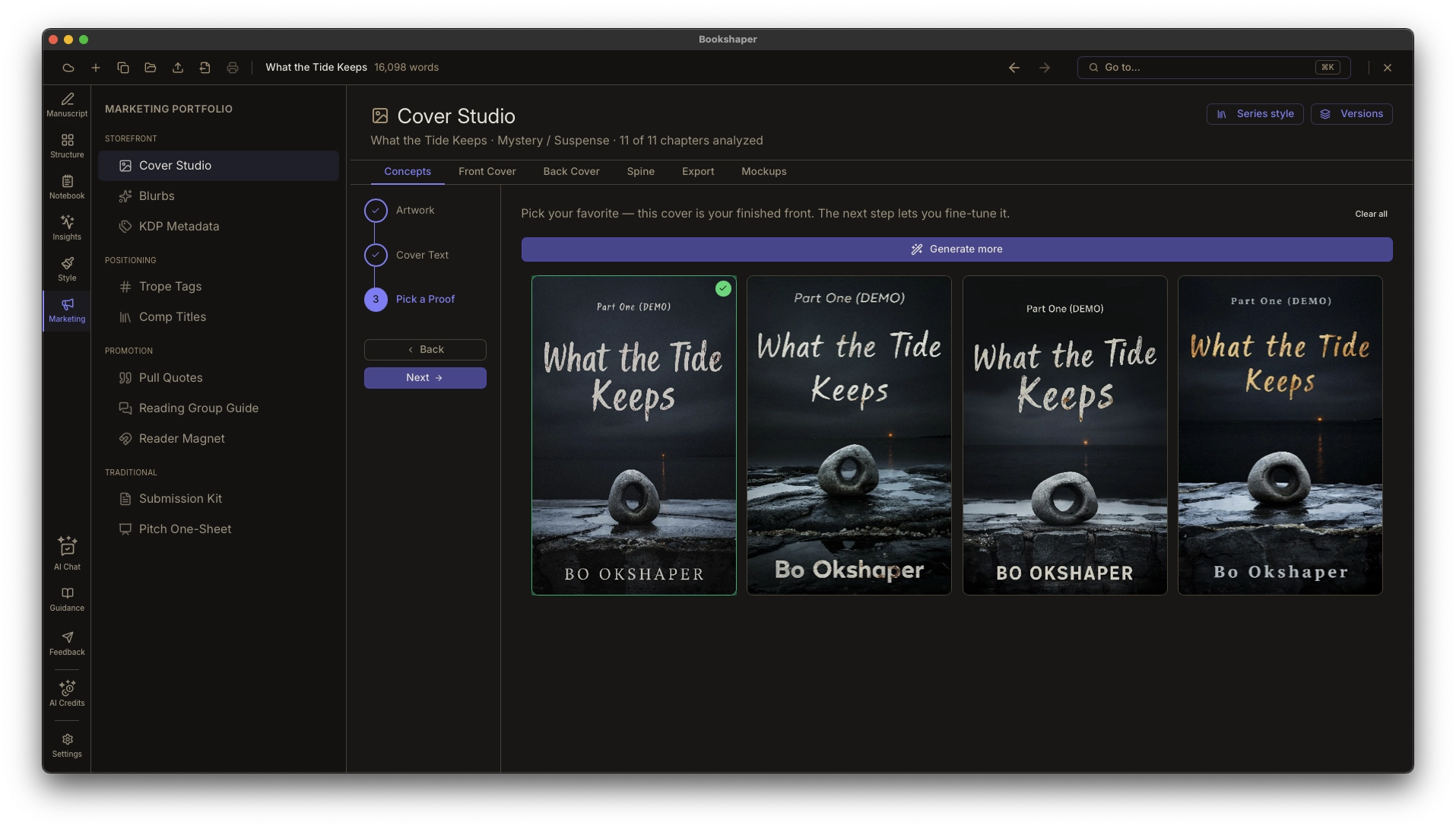
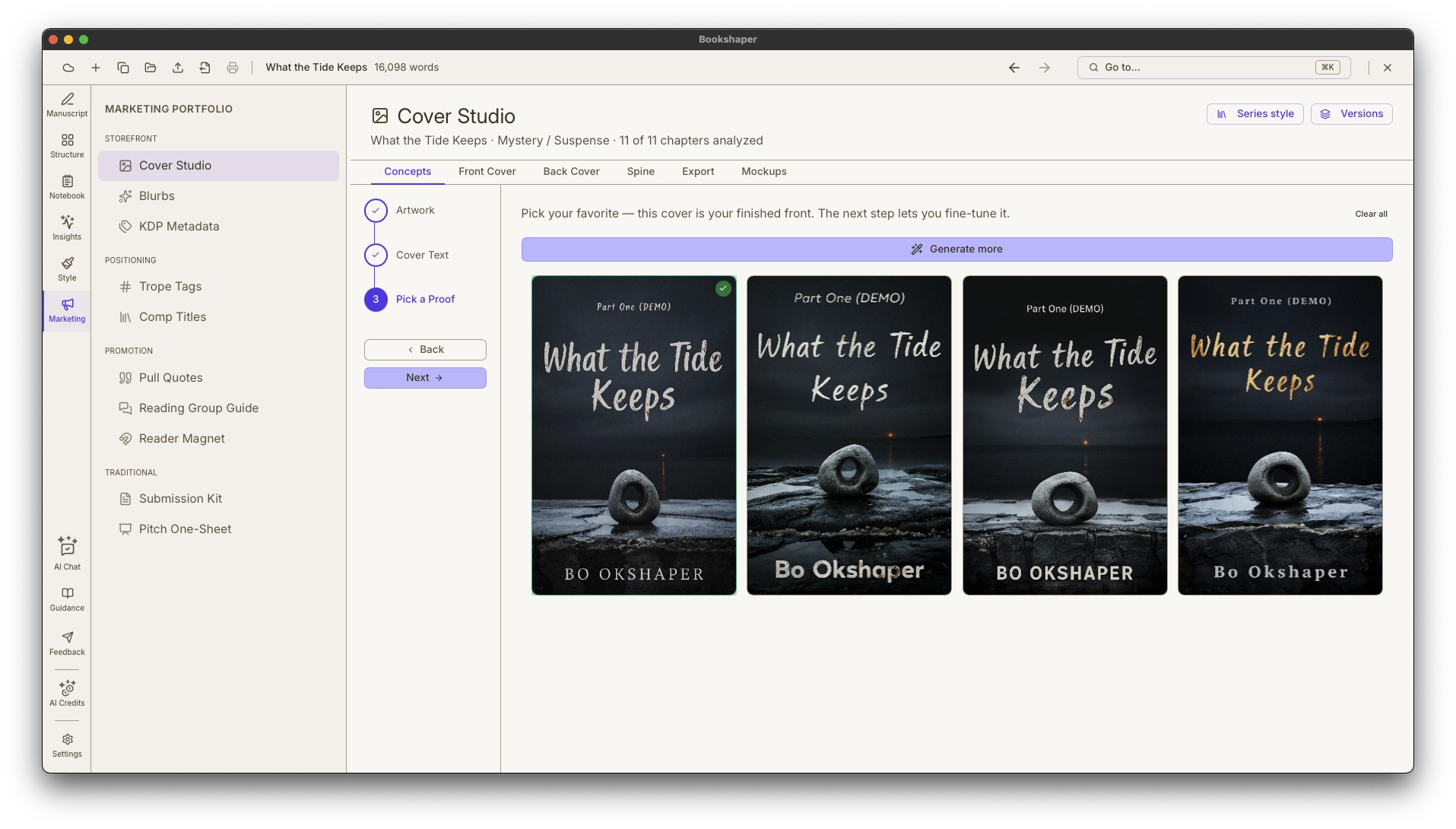
A guided wizard turns a few plain-language inputs into a grid of low-cost cover proofs—pick your favorite, get genre-styled title treatments applied automatically, then fine-tune typography and effects and export directly to EPUB—all inside the same app where you write.

Concepts tab — a grid of nine AI-generated cover proofs beside the guided art-direction briefConcepts tab — a grid of nine AI-generated cover proofs beside the guided art-direction brief

How it works

1

Import or start writing

Import an existing manuscript from DOCX, EPUB, or Markdown—or start fresh. Bookshaper organizes your work into parts, chapters, and scenes automatically.

2

Write and organize

Write scene by scene in a focused editor. Rearrange your manuscript with Outline and Beat Cards. Tag scenes with POV, characters, and timeline.

3

Analyze and revise

Run analysis and get a coaching report that prioritizes your strengths and flags areas for improvement—with specific guidance and visual evidence behind every finding.

4

Style and publish

Choose a template, customize your typography, and export a publication-ready EPUB or PDF. No separate formatting tool required.

Built for authors at every stage

  • First-time novelists who want professional structure from day one
  • Indie authors preparing manuscripts for self-publishing
  • Experienced authors looking for deeper insight into their craft
  • Editors and book coaches working with clients
  • Writing instructors and workshop leaders

Ready to shape your story?

Download Bookshaper and start your 7-day free trial. Subscribe whenever you’re ready.

Try Bookshaper Free

Try it free for 7 days — no credit card required. Subscribe only when you’re ready.
Bookshaper

Write, organize, analyze, and publish your manuscript in one place.

Product

  • Features
  • Pricing
  • Documentation
  • Writing Guides
  • Blog
  • Comparisons
  • Free Pacing Analyzer
  • FAQ
  • Support
  • About
  • Press Kit
  • Affiliate Program

Help

  • Protecting Your Work
  • Windows Performance
  • System Status

Legal

  • Terms of Service
  • Privacy Policy
  • Licensing Agreement
  • Affiliate Terms
  • Open-Source Licenses

Bookshaper uses AI for analysis and select generation features (back-cover blurbs, cover concepts). Your manuscripts are stored locally, and we do not authorize AI providers to train on them.

© 2026 Bookshaper. All rights reserved.